rmainskh
Registered
- Joined
- Feb 25, 2021
- Posts
- 2
More
- Preamp, Processor or Receiver
- Denon 4500H
- Main Amp
- D-Sonic M3a-2400-3
- Universal / Blu-ray / CD Player
- Panasonic UB820
- Streaming Equipment
- Shield
- Front Speakers
- Titan-615
- Center Channel Speaker
- Titan-615
- Surround Speakers
- HT10
- Surround Back Speakers
- HT10
- Front Height Speakers
- Volt 6
- Rear Height Speakers
- Volt 6
- Subwoofers
- 2 - DIY UM18 and 2 DIY VBSS 18
- Screen
- Seymour XD
- Video Display Device
- JVC RS2000
- Remote Control
- Harmony
Hi John,
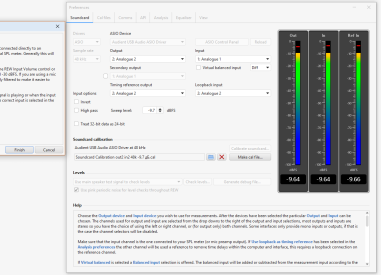
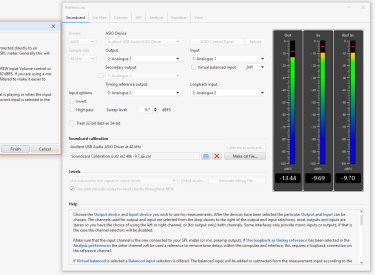
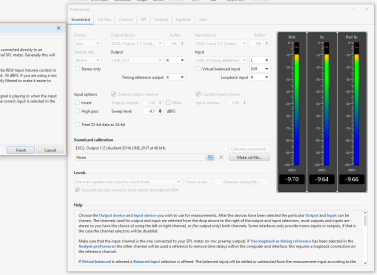
I recently updated to beta 117 and am getting the following error when I enter the measurment screen?
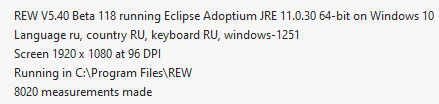
REW V5.40 Beta 117 running Eclipse Adoptium JRE 11.0.29 64-bit on Windows 11 Language en, country US, keyboard US, windows-1252 Screen 1536 x 864 at 120 DPI Running in C:\Program Files\REW
Message:
java.lang.NullPointerException
I recently updated to beta 117 and am getting the following error when I enter the measurment screen?
REW V5.40 Beta 117 running Eclipse Adoptium JRE 11.0.29 64-bit on Windows 11 Language en, country US, keyboard US, windows-1252 Screen 1536 x 864 at 120 DPI Running in C:\Program Files\REW
Message:
java.lang.NullPointerException
Stack Trace:
roomeqwizard.components.TC.A(y:90)
roomeqwizard.audio.A$17.run(y:5222)
java.desktop/java.awt.event.InvocationEvent.dispatch(InvocationEvent.java:313)
java.desktop/java.awt.EventQueue.dispatchEventImpl(EventQueue.java:770)
java.desktop/java.awt.EventQueue$4.run(EventQueue.java:721)
java.desktop/java.awt.EventQueue$4.run(EventQueue.java:715)
java.base/java.security.AccessController.doPrivileged(Native Method)
java.base/java.security.ProtectionDomain$JavaSecurityAccessImpl.doIntersectionPrivilege(ProtectionDomain.java:85)
java.desktop/java.awt.EventQueue.dispatchEvent(EventQueue.java:740)
java.desktop/java.awt.EventDispatchThread.pumpOneEventForFilters(EventDispatchThread.java:203)
java.desktop/java.awt.EventDispatchThread.pumpEventsForFilter(EventDispatchThread.java:124)
java.desktop/java.awt.EventDispatchThread.pumpEventsForFilter(EventDispatchThread.java:117)
java.desktop/java.awt.WaitDispatchSupport$2.run(WaitDispatchSupport.java:190)
java.desktop/java.awt.WaitDispatchSupport$4.run(WaitDispatchSupport.java:235)
java.desktop/java.awt.WaitDispatchSupport$4.run(WaitDispatchSupport.java:233)
java.base/java.security.AccessController.doPrivileged(Native Method)
java.desktop/java.awt.WaitDispatchSupport.enter(WaitDispatchSupport.java:233)
java.desktop/java.awt.Dialog.show(Dialog.java:1070)
java.desktop/java.awt.Component.show(Component.java:1716)
java.desktop/java.awt.Component.setVisible(Component.java:1663)
java.desktop/java.awt.Window.setVisible(Window.java:1031)
java.desktop/java.awt.Dialog.setVisible(Dialog.java:1005)
roomeqwizard.components.VC.setVisible(y:1459)
roomeqwizard.components.FA.setVisible(y:6384)
roomeqwizard.RA.A(y:3339)
roomeqwizard.components.E$26.actionPerformed(y:683)
java.desktop/javax.swing.AbstractButton.fireActionPerformed(AbstractButton.java:1967)
java.desktop/javax.swing.AbstractButton$Handler.actionPerformed(AbstractButton.java:2308)
java.desktop/javax.swing.DefaultButtonModel.fireActionPerformed(DefaultButtonModel.java:405)
java.desktop/javax.swing.DefaultButtonModel.setPressed(DefaultButtonModel.java:262)
java.desktop/javax.swing.plaf.basic.BasicButtonListener.mouseReleased(BasicButtonListener.java:279)
java.desktop/java.awt.AWTEventMulticaster.mouseReleased(AWTEventMulticaster.java:297)
java.desktop/java.awt.Component.processMouseEvent(Component.java:6635)
java.desktop/javax.swing.JComponent.processMouseEvent(JComponent.java:3342)
java.desktop/java.awt.Component.processEvent(Component.java:6400)
java.desktop/java.awt.Container.processEvent(Container.java:2263)
java.desktop/java.awt.Component.dispatchEventImpl(Component.java:5011)
java.desktop/java.awt.Container.dispatchEventImpl(Container.java:2321)
java.desktop/java.awt.Component.dispatchEvent(Component.java:4843)
java.desktop/java.awt.LightweightDispatcher.retargetMouseEvent(Container.java:4918)
java.desktop/java.awt.LightweightDispatcher.processMouseEvent(Container.java:4547)
java.desktop/java.awt.LightweightDispatcher.dispatchEvent(Container.java:4488)
java.desktop/java.awt.Container.dispatchEventImpl(Container.java:2307)
java.desktop/java.awt.Window.dispatchEventImpl(Window.java:2772)
java.desktop/java.awt.Component.dispatchEvent(Component.java:4843)
java.desktop/java.awt.EventQueue.dispatchEventImpl(EventQueue.java:772)
java.desktop/java.awt.EventQueue$4.run(EventQueue.java:721)
java.desktop/java.awt.EventQueue$4.run(EventQueue.java:715)
java.base/java.security.AccessController.doPrivileged(Native Method)
java.base/java.security.ProtectionDomain$JavaSecurityAccessImpl.doIntersectionPrivilege(ProtectionDomain.java:85)
java.base/java.security.ProtectionDomain$JavaSecurityAccessImpl.doIntersectionPrivilege(ProtectionDomain.java:95)
java.desktop/java.awt.EventQueue$5.run(EventQueue.java:745)
java.desktop/java.awt.EventQueue$5.run(EventQueue.java:743)
java.base/java.security.AccessController.doPrivileged(Native Method)
java.base/java.security.ProtectionDomain$JavaSecurityAccessImpl.doIntersectionPrivilege(ProtectionDomain.java:85)
java.desktop/java.awt.EventQueue.dispatchEvent(EventQueue.java:742)
java.desktop/java.awt.EventDispatchThread.pumpOneEventForFilters(EventDispatchThread.java:203)
java.desktop/java.awt.EventDispatchThread.pumpEventsForFilter(EventDispatchThread.java:124)
java.desktop/java.awt.EventDispatchThread.pumpEventsForHierarchy(EventDispatchThread.java:113)
java.desktop/java.awt.EventDispatchThread.pumpEvents(EventDispatchThread.java:109)
java.desktop/java.awt.EventDispatchThread.pumpEvents(EventDispatchThread.java:101)
java.desktop/java.awt.EventDispatchThread.run(EventDispatchThread.java:90)
roomeqwizard.components.TC.A(y:90)
roomeqwizard.audio.A$17.run(y:5222)
java.desktop/java.awt.event.InvocationEvent.dispatch(InvocationEvent.java:313)
java.desktop/java.awt.EventQueue.dispatchEventImpl(EventQueue.java:770)
java.desktop/java.awt.EventQueue$4.run(EventQueue.java:721)
java.desktop/java.awt.EventQueue$4.run(EventQueue.java:715)
java.base/java.security.AccessController.doPrivileged(Native Method)
java.base/java.security.ProtectionDomain$JavaSecurityAccessImpl.doIntersectionPrivilege(ProtectionDomain.java:85)
java.desktop/java.awt.EventQueue.dispatchEvent(EventQueue.java:740)
java.desktop/java.awt.EventDispatchThread.pumpOneEventForFilters(EventDispatchThread.java:203)
java.desktop/java.awt.EventDispatchThread.pumpEventsForFilter(EventDispatchThread.java:124)
java.desktop/java.awt.EventDispatchThread.pumpEventsForFilter(EventDispatchThread.java:117)
java.desktop/java.awt.WaitDispatchSupport$2.run(WaitDispatchSupport.java:190)
java.desktop/java.awt.WaitDispatchSupport$4.run(WaitDispatchSupport.java:235)
java.desktop/java.awt.WaitDispatchSupport$4.run(WaitDispatchSupport.java:233)
java.base/java.security.AccessController.doPrivileged(Native Method)
java.desktop/java.awt.WaitDispatchSupport.enter(WaitDispatchSupport.java:233)
java.desktop/java.awt.Dialog.show(Dialog.java:1070)
java.desktop/java.awt.Component.show(Component.java:1716)
java.desktop/java.awt.Component.setVisible(Component.java:1663)
java.desktop/java.awt.Window.setVisible(Window.java:1031)
java.desktop/java.awt.Dialog.setVisible(Dialog.java:1005)
roomeqwizard.components.VC.setVisible(y:1459)
roomeqwizard.components.FA.setVisible(y:6384)
roomeqwizard.RA.A(y:3339)
roomeqwizard.components.E$26.actionPerformed(y:683)
java.desktop/javax.swing.AbstractButton.fireActionPerformed(AbstractButton.java:1967)
java.desktop/javax.swing.AbstractButton$Handler.actionPerformed(AbstractButton.java:2308)
java.desktop/javax.swing.DefaultButtonModel.fireActionPerformed(DefaultButtonModel.java:405)
java.desktop/javax.swing.DefaultButtonModel.setPressed(DefaultButtonModel.java:262)
java.desktop/javax.swing.plaf.basic.BasicButtonListener.mouseReleased(BasicButtonListener.java:279)
java.desktop/java.awt.AWTEventMulticaster.mouseReleased(AWTEventMulticaster.java:297)
java.desktop/java.awt.Component.processMouseEvent(Component.java:6635)
java.desktop/javax.swing.JComponent.processMouseEvent(JComponent.java:3342)
java.desktop/java.awt.Component.processEvent(Component.java:6400)
java.desktop/java.awt.Container.processEvent(Container.java:2263)
java.desktop/java.awt.Component.dispatchEventImpl(Component.java:5011)
java.desktop/java.awt.Container.dispatchEventImpl(Container.java:2321)
java.desktop/java.awt.Component.dispatchEvent(Component.java:4843)
java.desktop/java.awt.LightweightDispatcher.retargetMouseEvent(Container.java:4918)
java.desktop/java.awt.LightweightDispatcher.processMouseEvent(Container.java:4547)
java.desktop/java.awt.LightweightDispatcher.dispatchEvent(Container.java:4488)
java.desktop/java.awt.Container.dispatchEventImpl(Container.java:2307)
java.desktop/java.awt.Window.dispatchEventImpl(Window.java:2772)
java.desktop/java.awt.Component.dispatchEvent(Component.java:4843)
java.desktop/java.awt.EventQueue.dispatchEventImpl(EventQueue.java:772)
java.desktop/java.awt.EventQueue$4.run(EventQueue.java:721)
java.desktop/java.awt.EventQueue$4.run(EventQueue.java:715)
java.base/java.security.AccessController.doPrivileged(Native Method)
java.base/java.security.ProtectionDomain$JavaSecurityAccessImpl.doIntersectionPrivilege(ProtectionDomain.java:85)
java.base/java.security.ProtectionDomain$JavaSecurityAccessImpl.doIntersectionPrivilege(ProtectionDomain.java:95)
java.desktop/java.awt.EventQueue$5.run(EventQueue.java:745)
java.desktop/java.awt.EventQueue$5.run(EventQueue.java:743)
java.base/java.security.AccessController.doPrivileged(Native Method)
java.base/java.security.ProtectionDomain$JavaSecurityAccessImpl.doIntersectionPrivilege(ProtectionDomain.java:85)
java.desktop/java.awt.EventQueue.dispatchEvent(EventQueue.java:742)
java.desktop/java.awt.EventDispatchThread.pumpOneEventForFilters(EventDispatchThread.java:203)
java.desktop/java.awt.EventDispatchThread.pumpEventsForFilter(EventDispatchThread.java:124)
java.desktop/java.awt.EventDispatchThread.pumpEventsForHierarchy(EventDispatchThread.java:113)
java.desktop/java.awt.EventDispatchThread.pumpEvents(EventDispatchThread.java:109)
java.desktop/java.awt.EventDispatchThread.pumpEvents(EventDispatchThread.java:101)
java.desktop/java.awt.EventDispatchThread.run(EventDispatchThread.java:90)
Last edited by a moderator: