REW Beta Release REW API beta releases

Usually a room reflection causing a sharp dip, which has a corresponding phase rotation. You can ignore phase by doing an RMS average.

RMS average is not in the new arithmetric button. I find it on old place "all SPL" and RMS + phase average. What is diffrence between RMS + phase average and (A+B) / 2 in aerithmetic menu ?
the RMS + phase average work as i expect at 600 hz. it is in middle of left and right speaker. Result is same as RMS average .

rms+phase average.jpg
 
Any idea what could have happened here? I saved all 76 measurements right before REW crashed on me. Then I tried to open the file and this is the message displayed on the screen? What steps I need to take to recover these measurements? Thank you in advance for your help.
Screenshot 2025-12-18 120825.png
Screenshot 2025-12-18 120910.png
 
Last edited:
Any idea what could have happened here?
Looks like the file was only partially written to disk. If you look in the temp folder of the REW log files folder (location is in the Help - About dialog) there will be copies of all measurements made in the last 7 days.
 
It is very good that the generator frequency can now increase in notesteps. when i do this the lower volume of the 600 hz dip see in measure, can only very slightly hear. because lower frequency is 587 then next is 622.

Because music use mostly step frequencies so it is maybe usefull to have a notestep view so only frequency of notesteps can show or there are dots add in the SPL display curve that show the note steps ? .

Unsmooth and generator without notestep i can hear from 595 hz upto 605 very reduce volume. So seem ERB smoothing also not what humans can hear. I think in this region it is 1/12. or maybe 1/10. but no measure software offer 1/10 which use graphic equalizer. such dips also let the signal position not exact locate and so make possible stereo image problems. with few cm diffrent speaker placement or hear position can shift such dips
 
Hi John,

Have been trying all the afternoon to get it working on my end (Denon 4700H with Audyssey App and A1 Evo) but keep having the same error from A1 Evo (both on my Windows PC and Mac).

[WARNING!] Target curve not found! Browse to and select 'TargetCurve_MJ.txt' (or any other) in 'REW / EQ window / House curve'!

View attachment 82918

However, I confirm that I did include this file coming straight from A1 Evo into the House curve field as shown below.

Any idea on what I am doing wrong here?

Thanks a lot for your help!!

View attachment 82917

Hi John,

Running into the same issue today with REW_macos_5_40_beta_111-api. What version should I be using?

1766436158517.png
 
For that to happen the measurement would somehow not have an equaliser specified. How was the measurement generated?

hello,
the measurement was imported from API via "/import/frequency-response-data"
tried to call "/measurements/{id}/equaliser" after the error occurred, it returns HTTP 500.
I'm using blocking API mode, is some extra delay required before calling "match target" after the import ?
 
the measurement was imported from API via "/import/frequency-response-data"
There is a bug for log-spaced imported data that an equaliser is not being assigned. I have fixed it for the next build, in the meantime you should assign an equaliser immediately after importing by posting to /measurements/{id}/equaliser.
 
thank you for your help.
my understanding is the equaliser assignment is more safe to prevent the bug until the next build is released.
 
having a not urgent request.
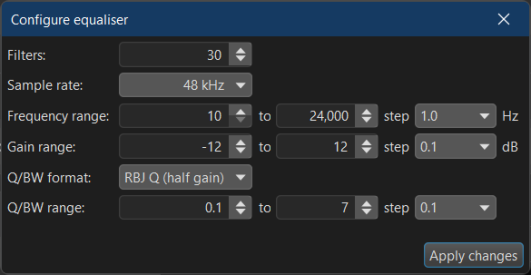
would like to be able to tune the "Configurable PEQ" equaliser settings via the api if it's possible.
currently the POST "/measurements/{id}/equaliser" do not allow it.
 

Attachments

  • 1766503103790.png
    1766503103790.png
    22.3 KB · Views: 8
Hi John,
For impedance and phase, the right click menu doesn't allow for any smoothing to be applied, however it is available via the graph menu at the top. It would be nice to see this option made available on right click selection. I find I often apply 1/48 oct smoothing to clean up measurements as the noise filter option in the measurement window doesn't seem to do anything for me. An option to modify scaling for impedance can be useful too in certain cases. A simple multiply by scaling factor would be helpful to have.

Thanks and happy holidays.
 
When might that be needed?
If you want the result of multiple components or drivers in series or parallel, but only measure a single. Another comparison would be comparing driver motor characteristics, inductance is proportional to the overall driver impedance, so for a better direct comparison between drivers (like 4 ohm vs 8 ohm) its best to scale the impedance so they are directly overlaid.
 
Back
Top