Need help hooking up your receiver or other devices?

@ddude003

Wow! Brilliant idea to use AI! Thanks for doing this.

If you mean I can use a USB flash drive, yes, I can use one and stick into my receiver and see what happens...

And just to eliminate variable, I picked a new USB C cable at lunch to try with microphone....at least we'll know if that's an issue or not.

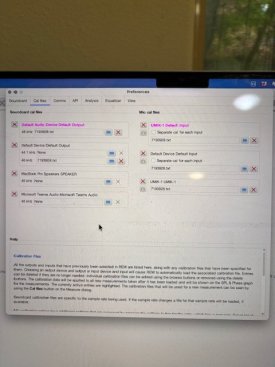
And btw, decided to do something weird, and looked at the REW manual regarding setup and levels...

Onward and upward.....

:)
 
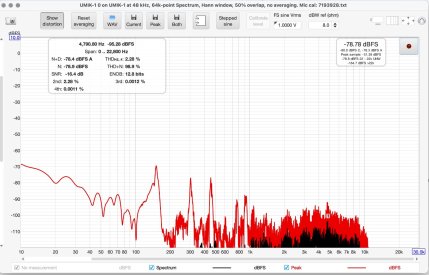
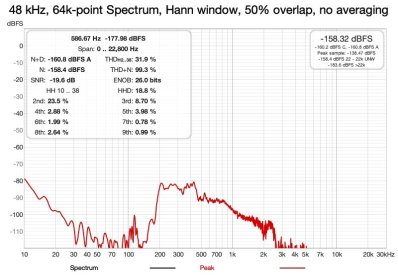
I have found that all of the popular AIs know about REW, Room Correction, Digital Room Correction and can guide one through many setups and trouble shooting... I have even used AIs to comment on REW sweep SPL graphs... Just upload the graph and ask for a diagnosis...

REW Generator will create Sweep Tones with a Timing Reference that will create a .wav file that you can xfer to a USB Flash Drive and plug into your A/V Receive... Play through your kits signal chain... That is how I do it... That means that you only have a single cable between your Mac Laptop and the UMIK-1 Mic... You can literally walk aground the room and sample from anywhere although its best to use a pro level Mic Stand...

wow you are RTFM... :cool:

I am now wondering what/how you are going to do Room Correction... Horses for courses... :dizzy:
 
Last edited:
I guess it makes sense that AI would know about REW....while I might have thought about asking AI questions, I probably wouldn't have though about asking it to comment on graphs....great idea!

And certainly like the benefits of using only a mic cable and eliminating need for the RCA cable to receiver, another great idea!

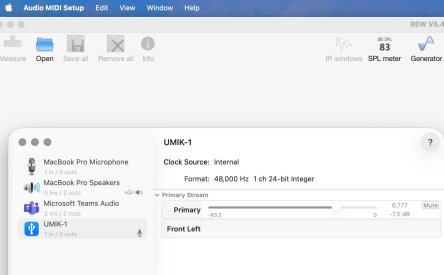
Actually, I quick scan of parts of the manual before, but found UMIK's page on setting up Mac and mic with REW quite helpful overall.

I need to get doing speaker frequency graphs down first before I graduate to Room Correction!

;)

Thanks again for all your helpful support, Really makes a difference when dealing with a new world like this!
 
Your welcome @ArchiMark... The first 30 days of tipping your toes into REW and Room Correction is like a sip from a fire hydrant... Welcome to the test... :bigsmile:
 
Unfortunately, don't have another computer to use right now...although I do have Win11 running in a VM on my Mac, don't know if that would make a difference.....

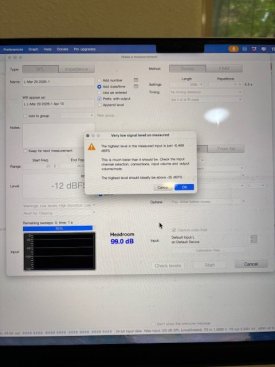
It might. If it works on Win11 and not on your Mac, that will tell you that it's some kind of setting in MacOS that is preventing REW from properly seeing the microphone. I would also try a different USB port, sometimes ports go bad.

When troubleshooting problems, always draw a map of all the possible points of failure and then exclude them one by one. Start at the mic, then the cable, then the port, then some kind of OS setting. If it's not an OS setting, sometimes it's another program requesting exclusive use of the mic and thus making it unavailable to REW. Go through all the free options first before you spend any money (e.g. on a new USB cable or mic!).

I had a maddening issue a few years ago where I would take one measurement and it would look fine, but the next measurement barely registered. I eventually traced the problem down to a faulty XLR cable. I am too cheap to buy an XLR cable of the proper length, so I make up the length by joining multiple XLR cables together. The intermittent nature of the fault meant it was a real oopsy do to diagnose. I tested the cable with a multimeter and it was fine. I bought a new microphone and the problem recurred! So I tested the cable again. I eventually isolated the problem down to a single cable. When I dismantled the connector, I saw that a stray wire was making contact with another terminal, causing a short. It would only happen if the connector was twisted a certain way (which is what might happen if it's a microphone XLR cable!). This was after I made a fool of myself on the RME forum because I suspected the interface was faulty after my initial cable test was fine.
 
Back
Top